
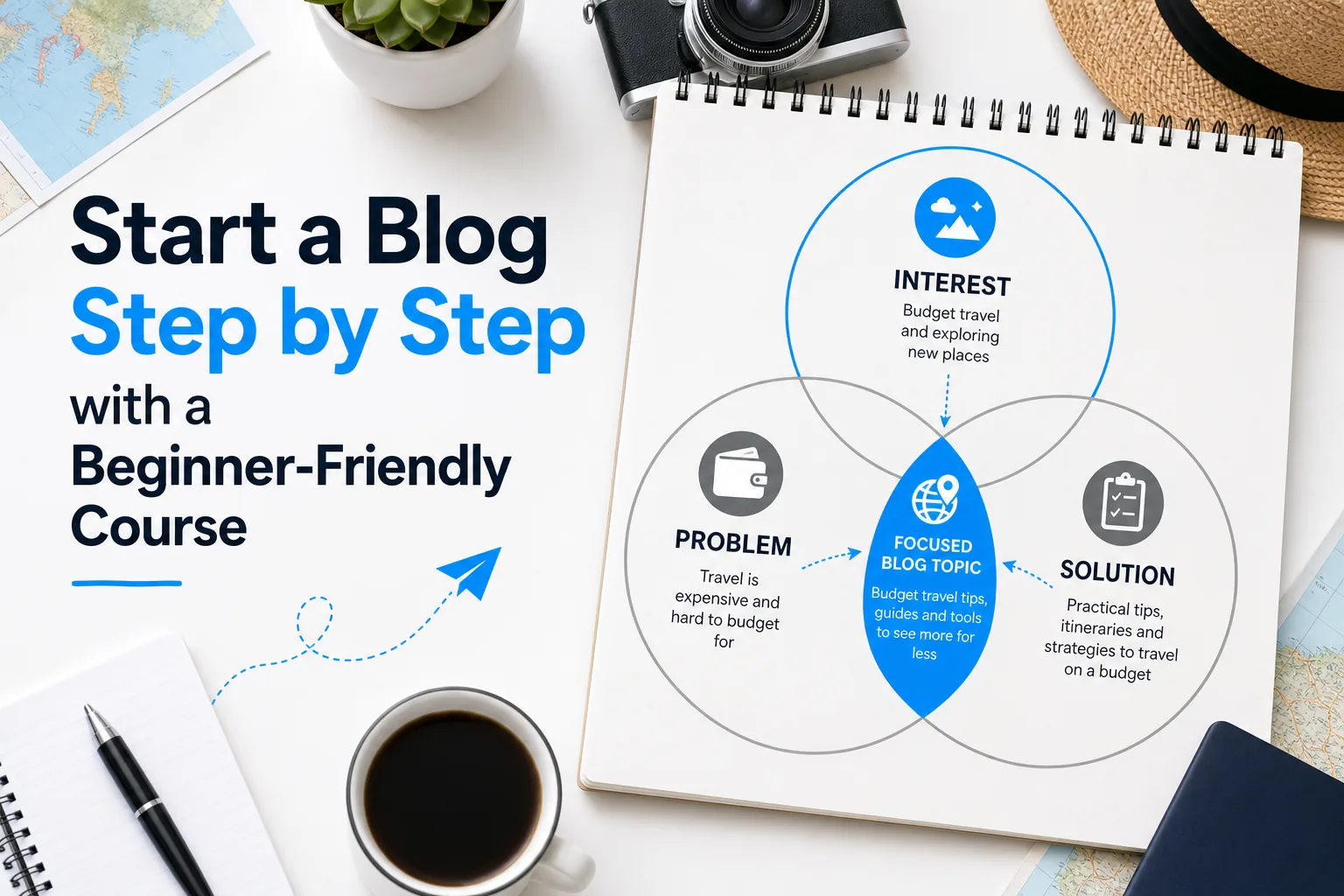
To start a blog, choose a clear purpose and audience, set up a site on a platform you can manage, and publish useful posts on a schedule you can sustain.
A beginner-friendly course can help you learn those steps in sequence, but it should support your decisions rather than make them for you. Begin by defining what you want the blog to do, then assess your topic, budget, technical comfort, and available time.
This guide walks through planning, choosing a course, setting up WordPress, creating content, learning basic SEO, and deciding what to do after launch.
You can work through the steps at your own pace; there is no guaranteed timeline for traffic or income.
- Choose a blog topic by combining your interests and knowledge with a real audience need you can investigate.
- Evaluate a course against your goals, including its curriculum, instructor evidence, support, update dates, full costs, and refund terms.
- Set up the simplest reliable site that meets your needs, then publish useful pages and posts before adding unnecessary tools.
- Use reader feedback and site measurements to improve your content; neither a course nor a publishing schedule can guarantee traffic or earnings.
Step 1: Set a Clear Goal for Your Blog
Before you choose a theme, buy tools, or enroll in a course, write down why you want to start a blog. A useful goal gives you a way to make decisions when there are several possible next steps. You might want to document a learning journey, help people solve a recurring problem, build a portfolio, support an existing business, or explore whether publishing is a good fit for you. These are different goals, and they call for different kinds of content and measures of progress.
Make the goal specific enough to guide your next month of work, without treating it as a promise about results. For example, “publish four practical articles for first-time gardeners and ask readers which questions remain unanswered” describes actions you can take. “Become a leading gardening blog” depends on factors outside your control and gives you little direction for this week.
Separate your inputs from your outcomes. Inputs include hours spent learning, posts drafted, interviews conducted, and pages improved. Outcomes might include returning readers, email subscribers, search visibility, client inquiries, or sales. Outcomes matter, but they can take time and may be affected by competition, seasonality, platform changes, and reader needs. A beginner can make sound progress on the inputs before there is enough evidence to judge the outcomes.
Write down three things: your main purpose, the reader you hope to help, and one practical action you can complete in the next seven days. If your purpose is to build a portfolio, a first action could be outlining one well-researched article. If you want to support a small business, it could be listing questions customers often ask. The action should be small enough to fit your actual schedule.
Your goal also helps you decide whether a course is relevant. Someone who needs basic WordPress instruction may not benefit from an advanced program focused on scaling a large content site. A person who already knows how to publish may need feedback on research and writing instead. Keep your goal visible while comparing lessons, tools, and advice so you do not mistake a large curriculum for a suitable one.
Step 2: Choose a Blog Topic and Audience You Can Serve
A workable blog topic sits at the intersection of what you can speak about responsibly, what readers need, and what you can keep exploring. You do not need to be the world’s leading expert to begin. You do need to be honest about your level of knowledge, verify important claims, and avoid presenting guesses as professional advice. If a subject involves health, law, finance, or safety, consider the extra responsibility involved and use qualified, reliable sources.
Start with a broad list of subjects you enjoy or know through work, study, hobbies, or lived experience. For each one, write down the kinds of questions someone might ask. “Cooking” is broad; “planning simple vegetarian lunches for a busy workweek” suggests a reader, a situation, and possible articles. “Travel” can become “planning low-stress trips with young children.” A narrower starting focus makes it easier to imagine useful posts, though it does not lock you into that topic forever.
Look for evidence of questions rather than assuming that an idea has demand. Talk to people who fit the audience, review questions in relevant communities where permitted, examine customer support questions if you have access, or use search suggestions and keyword tools as sources of ideas. These methods can reveal language readers use and topics worth investigating. They do not prove that a particular post will rank, attract a fixed number of visitors, or earn money.
Make a simple audience sketch. Describe the reader’s situation, what they are trying to do, what they already know, what gets in their way, and what a useful next step would look like. Avoid inventing demographic details that do not affect the content. For example, for a blog about affordable family travel, the useful details may be that a reader is coordinating schedules, comparing transport and lodging costs, and trying to keep a trip manageable for children. Knowing that is more actionable than assigning the reader an arbitrary age or income.
Use the sketch to test whether you can create a small set of related articles. You might plan a beginner’s guide, a comparison of practical options, a checklist, and a troubleshooting article. If every idea feels like a stretch, the topic may be too narrow, or you may need to research the audience more. If the list is endless but the reader is unclear, narrow the focus before committing to a large site structure.
Finally, ask whether you can continue learning about this topic. A blog often requires research, revisions, and regular communication over a long period. Interest does not have to mean constant excitement, but it helps if the process feels worthwhile. Choose a starting niche you can serve thoughtfully, then let reader questions and your growing experience inform future topics.
Step 3: Evaluate a Blogging Course for Beginners Before You Enroll
A course can provide structure, demonstrations, and a place to ask questions. It cannot choose your goals for you or guarantee that a blog will succeed. Compare courses using evidence available on their course pages and in their stated terms. If information is missing, ask the provider rather than assuming that a feature is included.
Check the curriculum against the work you need to do
Look for coverage that fits your stage. A beginner may need help choosing a topic, planning site pages, setting up a platform, developing article ideas, writing and editing, understanding basic SEO, and maintaining a publishing routine. If earning from a blog is one of your goals, assess whether the course explains relevant business models, audience fit, disclosures, and the work involved—not just possible revenue streams.
Read the lesson list closely. A broad course title can cover anything from a brief overview to detailed instruction. Ask whether lessons include practical demonstrations, worksheets, examples, or exercises that result in something you can use. Check whether the program explains foundational terms before relying on advanced tactics. You do not need a course to cover every topic in blogging; you need one that addresses your actual learning gaps in a useful order.
Look for instructor evidence and transparent support
Review what the instructor says about their experience and see whether that background is relevant to the lessons. Look for verifiable work, examples, or a clear explanation of how the course content was developed. Testimonials can offer context, but they are selected accounts and do not establish what every student will achieve. Be cautious of claims that imply typical or guaranteed outcomes without enough supporting detail.
Support can mean a discussion community, office hours, written feedback, live calls, or help with technical questions. These are not interchangeable. Determine what is actually included, how frequently it is available, who provides it, and whether access ends. If you expect feedback on your own site, check whether that is part of the course or simply a feature students sometimes arrange themselves.
Check dates, cost, terms, and accessibility
Find the date of the latest course update and whether the provider explains what has changed. Blogging platforms and tools evolve, so lessons about interfaces or policies may need revisions. A recent date alone does not prove that a course is comprehensive; inspect whether the lessons you need are current enough for your intended platform and workflow.
Calculate the total cost rather than looking only at a headline price. Include any required software, hosting, community membership, renewal, subscription, or upgrade charges that the provider identifies. Check whether access is one-time or recurring and what happens if you cancel. Read the refund terms, including any deadline, conditions, and process. If these details are difficult to find, ask for clarification before paying.
Accessibility and platform fit matter, too. Check whether lessons have captions or transcripts if those help you learn, whether the teaching format works on your devices and connection, and whether the examples use a platform you intend to use. A course may be well made and still be a poor fit for your budget, learning style, or technical setup.
Use a small implementation project to judge fit
Before enrolling, write down one small outcome you would want to produce by using the course—for example, a clear niche statement, a working site with essential pages, or a draft of one helpful post. Match that outcome to specific lessons and support features. This makes comparison concrete and helps you see whether the program teaches skills you can apply rather than asking you to collect information without publishing.
You can compare options without pretending they are equivalent. Use a private checklist with columns for curriculum, evidence, support, update information, total cost, terms, accessibility, and platform fit. Record “not stated” where you cannot verify a detail. That is more useful than guessing or selecting a course based on the number of modules. For more help assessing WordPress learning options, see Best WordPress Courses for Beginners and Developers. Treat any course recommendation as a starting point for your own review, not a substitute for reading the provider’s current information.
Step 4: Set Up Your Blog and Learn the Essential Basics
Choose a platform based on the kind of site you need, the amount of control you want, your budget, and how much maintenance you are prepared to handle. Hosted services may bundle technical tasks into a managed product, while a self-hosted WordPress site gives you more responsibility for selecting and maintaining hosting, software, themes, and plugins. There is no single best setup for every beginner. Compare current plans, support, limits, renewal terms, and the provider’s documentation before choosing.
If you choose WordPress, take setup one decision at a time. Select a domain name that is readable and appropriate for your subject, check that you have the rights to use it, and understand where registration and renewal are handled. Choose hosting that meets your needs and budget; do not assume that a particular company or plan is automatically right for you. Confirm what is included, what renews, how backups and security are managed, and how to get help if something goes wrong.
Install WordPress using the host’s documented process, then set the site name and basic settings. Choose a lightweight, supported theme that is readable on both mobile and desktop. Before customizing, check that headings, links, menus, and text remain easy to use at different screen sizes. Keep design choices simple at first. A clear navigation menu and useful content matter more than elaborate effects.
For readable URLs, choose a permalink structure you can maintain. WordPress explains the available options in its Settings Permalinks Screen documentation. A “post name” format is a common choice for straightforward article URLs, but consider your site’s needs before changing settings on an established site. Changing URLs later can break links unless you plan appropriate redirects.
Create the essential pages your site needs, such as About, Contact, and a Privacy Policy suited to your actual practices and jurisdiction. A home page should help a first-time visitor understand what the blog covers and where to start. Make sure the contact method works, that navigation labels are clear, and that any required legal pages reflect what your site actually does. If you collect email addresses, use an email service and privacy practices appropriate to your audience and applicable rules.
Use plugins selectively. An SEO plugin, contact form, backup tool, or security tool may be useful depending on your setup, but installing many plugins “just in case” can make maintenance harder. Check each plugin’s current compatibility, support, update history, privacy implications, and cost. Keep a record of what each tool does. Remove tools you no longer need, and make a backup before major changes if your hosting or backup arrangement allows it.
The following video is titled How to Start a WordPress Blog in 2026 (Step-by-Step) and is by Ryan Robinson. It gives a plain-language demonstration of one possible WordPress setup path. The presenter’s approach is an example, not an endorsement of a host, tool, or plan; compare current options and terms for yourself before choosing.
After setup, test the site as a visitor. Open it on a phone, follow the menu, click internal links, submit the contact form, and look for spelling or layout problems. Verify that important pages are accessible and that you can sign in to the administration area. A small setup checklist can prevent avoidable confusion later, when you are focused on drafting and publishing.
If you want structured instruction on the platform, the DiSousa guide to WordPress courses can help you explore learning options. Use it alongside current WordPress and provider documentation, since interfaces, products, and terms can change.
Step 5: Plan and Publish Your First Useful Blog Posts
Plan content around reader questions, not around a target number of posts chosen without context. Create a short list of the questions your audience needs answered and group related ideas. A beginner’s guide might explain the whole process, while a separate article answers one specific question in more depth. This organization helps you see what deserves a standalone post and what belongs in an existing article.
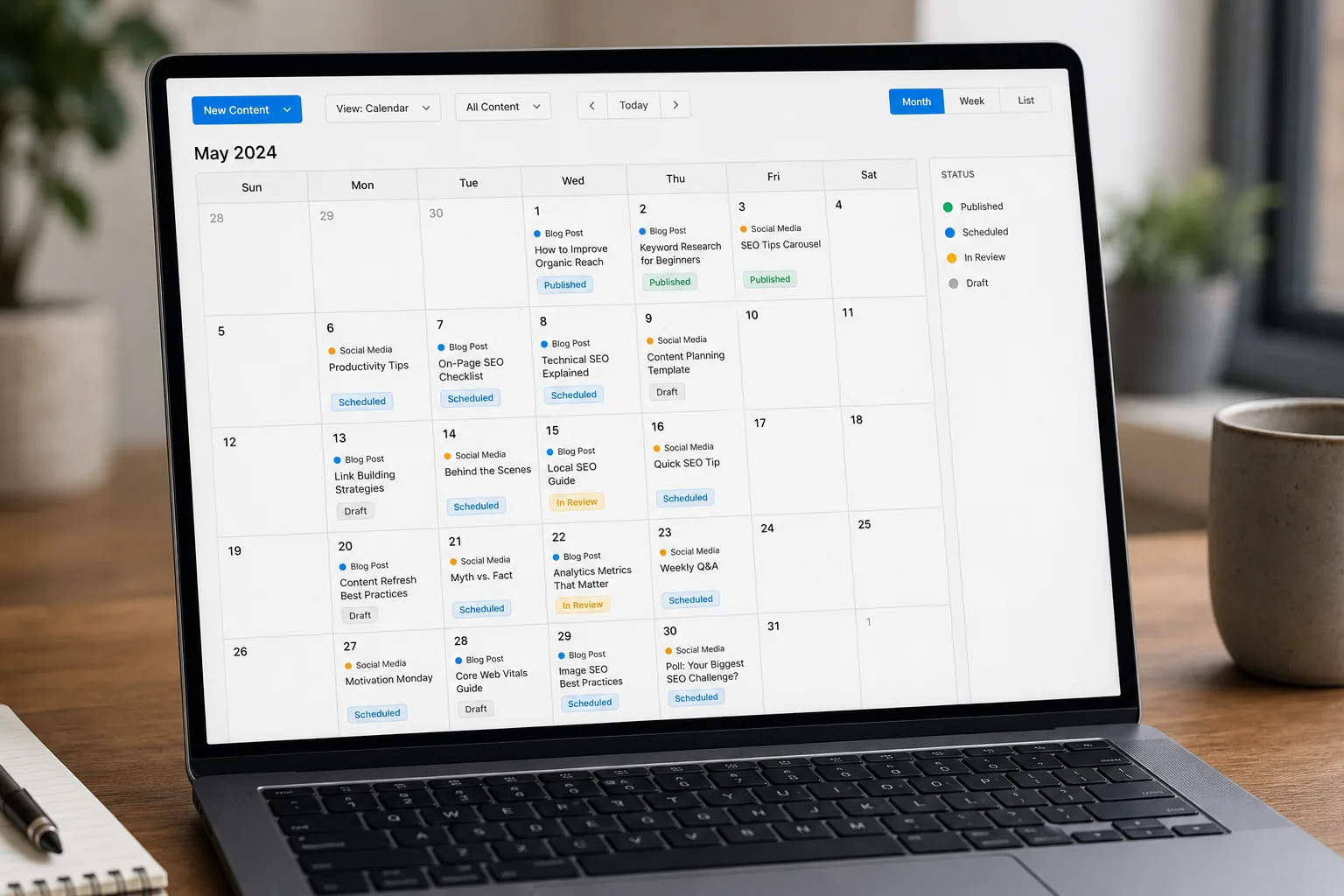
Use an editorial calendar to keep track of the topic, intended reader, purpose, research needed, draft status, and planned review date. A calendar can be a spreadsheet, notebook, project board, or document; the tool matters less than whether you will use it. The image below is an illustrative editorial-calendar visual for planning. It does not represent real user data, research findings, or performance results.
Before drafting, decide what the post should help someone understand or do. Write a one-sentence promise to yourself, such as “After reading this, a first-time balcony gardener can choose a suitable container and understand the first steps for planting.” If the outline wanders into unrelated advice, save that material for another post or remove it.
A practical article often needs a clear opening, organized sections, examples, and a conclusion that tells readers what to consider next. Put the answer or central point near the beginning rather than making readers work through a long preamble. Use headings to describe the material underneath them. Include steps, comparisons, or checklists when they genuinely make the explanation easier to follow.
Research carefully. Prefer original documentation and credible sources for factual claims, especially when information changes or could affect someone’s decisions. Separate your own experience from documented facts, and identify uncertainty where it matters. Do not copy other publishers’ structure or wording. If you quote or rely on a source, link to it in context so readers can check the information for themselves.
Write in plain language and define specialized terms the first time you use them. Keep paragraphs focused, but do not reduce complex subjects to misleading one-line rules. Add images only when they clarify the content or improve the reader’s understanding; use descriptive alternative text for meaningful images and empty alt text for purely decorative images. Confirm you have permission to use images and that captions do not suggest evidence the image does not provide.
Before publishing, edit for accuracy, completeness, and usability. Check that the headline describes the article, the introduction matches what the post delivers, and each section contributes something useful. Proofread links, headings, lists, and any product or service descriptions. If advice depends on a date, location, version, or personal circumstance, make that limitation clear. Give readers a reasonable next step, such as a related article, a useful checklist, or a way to contact you—not a misleading urgency claim.
Start with a manageable group of core posts rather than delaying launch until the entire site feels perfect. A helpful About page and a small collection of genuinely useful articles can give visitors context. Review the site as a whole: does it explain its focus, make it easy to find content, and provide a way to reach you? Publishing fewer, carefully developed articles is preferable to filling the site with thin pages solely to increase a post count.
Step 6: Learn Basic SEO and Build a Reader Path
Search engine optimization is the practice of making a site and its content easier to discover, understand, and use. It is not a switch that guarantees a position in search results. Start with the reader’s question: what would someone need to know, and how can your article answer it clearly and accurately? Google’s SEO Starter Guide offers foundational guidance on helping search engines understand content and helping people decide whether a result is useful.
For topic research, write down the phrases a reader might use and investigate what those phrases mean in context. Keyword tools can help organize ideas, but their estimates are not a promise of traffic and should not replace judgment. A phrase that appears to have search demand may not fit your audience, and a useful topic may still be worth covering even if a tool provides limited data. Avoid building an article around a keyword if you cannot answer the underlying question well.
Use clear titles and headings that accurately describe the content. Include the central topic naturally where it helps readers understand the page; do not repeat keywords awkwardly or add them where they do not belong. Write a concise page description if your publishing setup provides one, but focus first on making the article itself clear. Search engines may display page information differently from how you expect, so do not treat a description as a guaranteed search-result text.
Make pages easy to navigate. Use descriptive links rather than generic “click here” wording when the destination can be named. Link to related articles where the connection genuinely helps readers continue learning, and link to authoritative external material where it supports a claim. A reader path might lead from an introductory guide to a detailed tutorial, a comparison, or a glossary. Internal links can help people discover your other work, but they should be chosen for usefulness rather than added to meet an arbitrary count.
Technical basics also matter to visitors. Use a layout that works on mobile, keep images appropriately sized, and avoid intrusive elements that obstruct reading. Check that the site can be crawled and that important pages are not accidentally blocked or hidden. Set up a way to monitor relevant technical issues, using the documentation for the tools you select. You do not need to buy every SEO tool at the outset; begin with clear content and basic checks, then decide whether a tool solves a real need.
Google’s guidance on creating helpful, reliable, people-first content is useful when reviewing whether a page serves readers rather than existing only to attract search traffic. Ask whether the article adds real explanation, answers its stated question, and makes claims you can support. Avoid treating a checklist as a ranking formula. Good editorial decisions improve the reader experience, but no single practice guarantees visibility.
As the site grows, consider a relevant tool only when you know the task you want it to perform—for example, researching topic ideas, checking links, or understanding search performance. The DiSousa overview of SEO tools for beginners can help you explore options. Check each tool’s current features, limitations, privacy terms, and price before relying on it.
Step 7: Prepare for Launch and Take the Next Actions
A launch is not a test of whether you have built a perfect site. It is the point at which your pages are available for readers to use and you can begin learning from real questions and behavior. Before sharing the site, complete a practical review rather than making endless cosmetic changes.
- Confirm that the site title, navigation, and main page explain what the blog is about.
- Check that essential pages and initial articles are published and readable on a phone.
- Test menus, internal and external links, forms, and any email signup process.
- Review images, alternative text, spelling, and page headings.
- Make sure you understand how the site is backed up and where to ask for technical support.
- Check any privacy, disclosure, or other legal information that applies to your site and audience.
When the site is ready, share it with people who are likely to give useful feedback. Explain what you want them to review: whether the purpose is clear, whether they can find an article, or whether a particular guide answers their question. Specific questions lead to more actionable comments than asking whether someone “likes” the site. Do not treat a handful of opinions as a representative survey; use them as observations to consider alongside your own goals and later evidence.
Choose a few places where your intended readers already spend time, and participate appropriately. Follow community rules, contribute useful answers, and share a link only when it adds value and is allowed. You can also send a thoughtful note to people who asked for updates or include the blog in an existing newsletter or professional profile. Avoid bulk messages, misleading claims, and dropping links into unrelated conversations.
After publishing, maintain a simple issue list. Record broken links, reader questions, confusing explanations, and technical problems. Prioritize items that prevent access or make the information inaccurate, then improve smaller issues as time allows. This turns launch into the start of an editorial process rather than a one-time event.
Do not assume that a quiet first launch means the topic is wrong or the blog has failed. It may simply mean that people have not discovered the site yet, the article needs clarification, or the way you shared it did not reach the intended audience. Revisit your purpose and gather more useful evidence before making a major change. Give yourself a defined review point, such as after you have completed a small set of planned publishing and outreach tasks, rather than changing strategy in response to every daily fluctuation.
Step 8: Build a Sustainable Publishing and Measurement Routine
Choose a publishing pace that fits your real life. A schedule is useful when it helps you make steady progress, not when it forces you to publish work that is incomplete or poorly supported. Estimate the time required for research, drafting, editing, image preparation, publishing, and follow-up. If a post takes longer than expected, adjust the plan rather than disguising rushed work as consistency.
Break the process into repeatable stages. One session might be for collecting questions and sources, another for outlining, and another for drafting. Use checklists for steps you often forget, such as testing links or checking mobile layout. Leave room for unexpected responsibilities, revisions, and breaks. A buffer of prepared ideas—or a draft that is not tied to a time-sensitive event—can make a routine more resilient without requiring you to produce a large backlog.
Measure only what helps you make a decision. Depending on your goal, useful signals may include whether readers reach a key page, questions they ask, email signups, referrals, search impressions, or the time needed to complete the publishing process. Interpret each measure carefully. A visit does not necessarily mean that a reader found the answer, and a low number of visits does not tell you by itself whether the content is useful. Combine quantitative observations with feedback and editorial judgment.
Set a review cadence that is manageable, such as a monthly or quarterly check-in. Look for patterns across multiple posts instead of reacting to one day’s numbers. Ask: Which topics generated meaningful questions? Which posts seem confusing or incomplete? Are links and facts still current? Is the workload sustainable? Did readers take the next step the post intended to support? Record the answer and select one or two improvements for the next period.
Update older content when the information has changed, a link no longer works, or readers need a clearer explanation. Make substantive revisions rather than changing a date or adding a sentence simply to make a page appear new. If an article is still accurate and useful, it may not need an update. Keep notes on significant changes so you can explain the context if it matters to readers.
If your goal includes income, treat monetization as a later decision that depends on the audience, topic, and business model. Options can include affiliate marketing, services, sponsorships, advertising, or products, but each has different requirements and trade-offs. Consider whether the recommendation genuinely serves the audience, how you will disclose a material connection, and whether you can support the claims you make about a product. The DiSousa guide to learning affiliate marketing offers a place to explore the model; check program terms and applicable disclosure obligations before participating.
Build trust by distinguishing educational content from recommendations and by being clear about uncertainty. Do not let a potential commission determine what you claim is best for every reader. The FTC’s endorsement guidance explains questions around endorsements and material connections; review the current guidance and consider how it applies to your situation. A sustainable blog is not only a publishing schedule. It is also a set of practices that readers can understand and trust.
Pro Tips for New Bloggers
- Keep a decision log. Record why you chose your topic, platform, theme, and publishing pace. When you reconsider a choice later, you can compare new evidence with the reason you made it instead of starting from scratch.
- Draft from real questions. Save phrases people use when asking for help, with permission and without exposing private details. Those questions can become clearer outlines than a list of vague keywords.
- Make the first version useful, then improve it. Do not wait for perfect design, but do not publish unsupported information just to meet a date. Finish the essential explanation and refine details after you see what readers need.
- Separate learning from purchasing. Before paying for a tool or course, name the problem it should solve. If you cannot identify that problem, you may be responding to promotion rather than a real need.
- Save your work outside the editor. Keep copies of important drafts, images you have rights to use, and basic site records in a secure place. Understand how your chosen backup system works rather than assuming that a saved draft is a complete backup.
- Use a “not yet” list. New bloggers encounter advanced tactics and tools before they need them. Write down ideas that may matter later, then return to the current task: understanding readers and publishing useful work.
These tips are meant to reduce avoidable friction, not prescribe one correct way to blog. Adjust them to your project, accessibility needs, budget, and obligations. If a recommendation does not serve your readers or your stated goal, you do not need to adopt it merely because it is common advice.
Conclusion: Turn the Course Into a Published Blog
Starting a blog is a sequence of decisions and practical tasks: define the purpose, choose an audience you can serve, select a fitting platform, publish useful content, and review what you learn. A course can help you move through the work, provided its lessons, support, terms, and cost fit your needs. Pick one manageable next action—such as outlining an article, checking a course’s refund terms, or testing your site on a phone—and complete it before adding more tools or changing direction. Keep the focus on serving readers and improving through evidence, not on promises of quick traffic or income.
Income Disclaimer
Starting a blog does not guarantee income. Results vary according to factors including the topic, audience, quality and consistency of the work, business model, competition, and market conditions. Any examples or monetization options discussed in this article are for general information, not a promise or prediction of earnings. Make decisions based on your circumstances and verify the terms of any product, course, or program before paying or participating.
Frequently Asked Questions
What should I do first when starting a blog?
Write down the blog’s purpose, the reader you hope to help, and one action you can complete this week. Then list the questions that reader has and choose a topic you can research responsibly. Starting with the reader and purpose makes platform, course, and content decisions easier to evaluate.
Do I need to take a course before I start a blog?
No. A course is one way to learn, but it is not a requirement for publishing a blog. You can also learn through platform documentation, reputable guides, and practice. Consider a course if its curriculum addresses a specific gap, its teaching format works for you, and its total cost and terms fit your situation.
How do I know whether a blogging course is worth the cost?
Compare the lessons with your goals and inspect instructor evidence, support details, update information, accessibility, platform fit, total costs and renewals, and refund terms. Identify a small project the course should help you complete. If important details are missing, ask the provider or wait until you can verify them; do not rely only on testimonials or promised outcomes.
Do I need to use WordPress?
No. WordPress is one option among several. Your choice depends on the control you want, the features you need, your budget, and how much technical maintenance you are comfortable handling. Compare current platform plans, limitations, support, portability, and renewal terms before choosing. If you use WordPress, consult its current documentation for settings such as permalinks.
How often should I publish new posts?
Choose a pace you can maintain while leaving enough time to research, write, edit, and check your work. There is no universal schedule that guarantees traffic. A slower schedule of careful, useful articles may be a better fit than frequent posts that are rushed or unsupported. Review your workload and adjust the routine when your circumstances change.
When can I expect my blog to get traffic or earn money?
There is no reliable timeline that applies to every blog. Discovery and income depend on many factors, including the subject, audience, content, competition, promotion, and monetization approach. Focus first on publishing useful work, helping readers find it through appropriate channels, and reviewing meaningful feedback. Treat any promise of guaranteed traffic or earnings with caution.
