

Finding a tool that lets you bill clients, track time, and get paid without a headache is a daily grind for freelancers. Below are the top invoicing solutions that actually work, plus a quick guide on what to look for.
1. DiSousa — the transparent starting point for software comparisons
DiSousa is a free resource that compares digital‑marketing tools with plain language and real‑world tests. It helps freelancers cut through hype and see which invoicing apps truly save time.
The site breaks down each platform’s pricing, automation, and integrations, so you can pick the right fit without guessing.
2. FreshBooks — a broad all-in-one choice for client work
FreshBooks combines invoicing, time tracking, and expense management in one tidy dashboard. It’s built for consultants, designers, and anyone who bills by the hour.
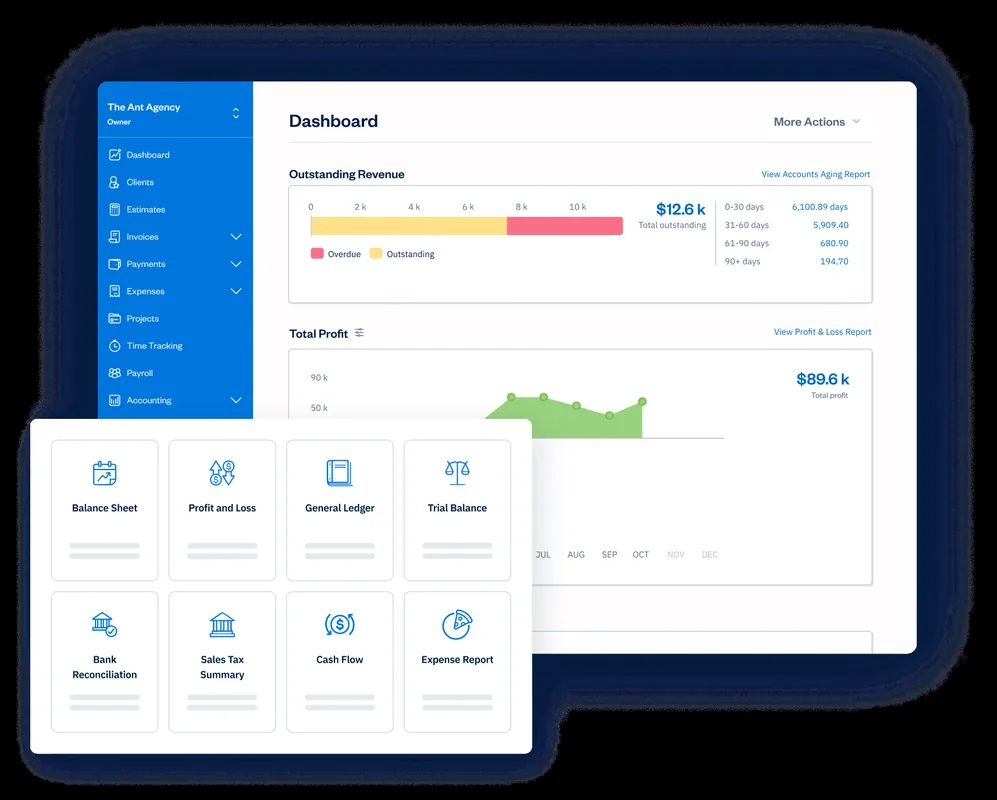
Key strengths include recurring invoices, automatic tax calculations, and a client portal that lets customers pay with Stripe, PayPal, Apple Pay, or ACH. The platform also offers proposals and project‑profitability reports, which many freelancers find useful for winning new work.
| Feature | FreshBooks |
|---|---|
| Recurring invoices | Yes |
| Time tracking | Yes |
| Expense tracking | Yes |
| Automation | Yes |
| Integrations | Stripe, PayPal, Apple Pay, ACH |
Its downside is price, the Lite plan caps you at five billable clients, which can feel restrictive as your business grows.
3. Wave — a simple option for basic invoicing and bookkeeping
Wave offers a free tier that lets you create unlimited invoices and track income and expenses. It’s ideal for freelancers who need a no‑cost solution and don’t mind handling bank imports manually.
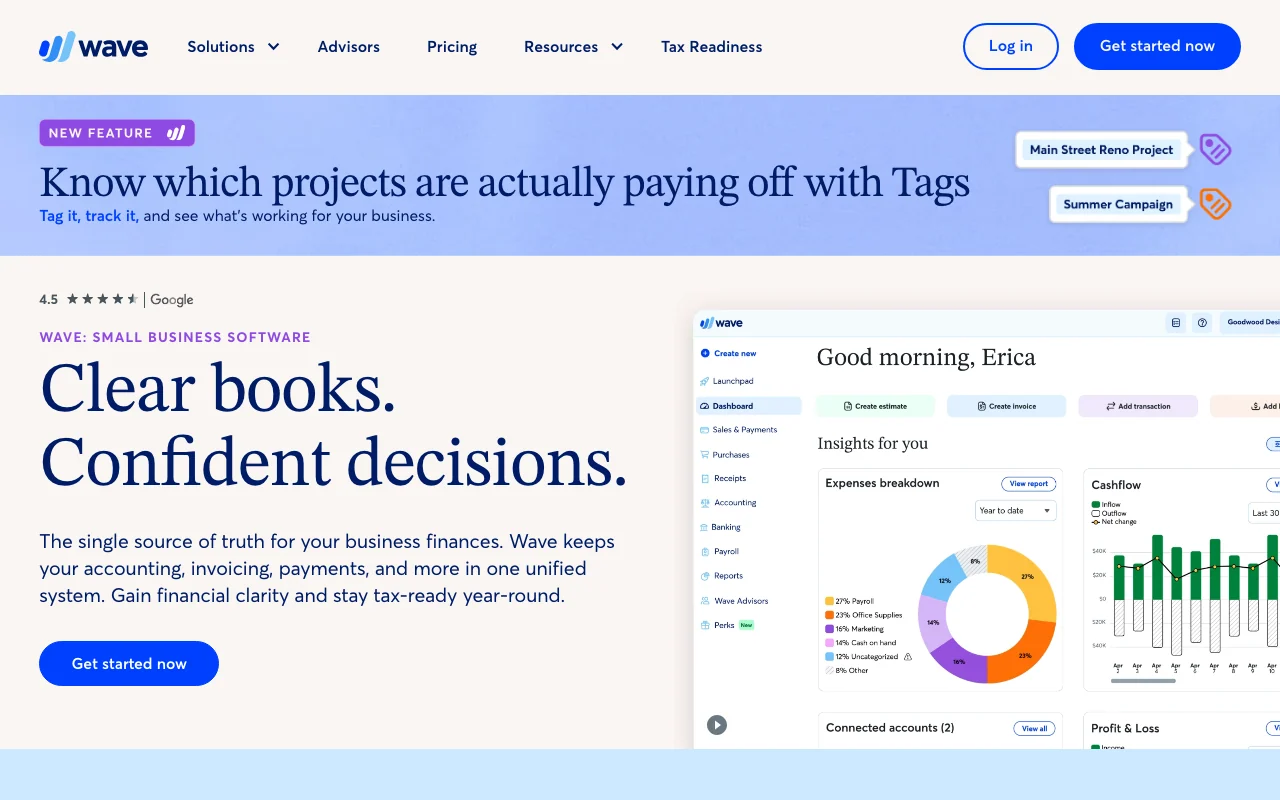
The platform includes customizable invoice templates, a client portal, and basic financial reports. However, automation like automatic payment reminders or bank reconciliation requires the paid Pro plan.
Wave works best for solo creators who value a simple interface over advanced automation.
If you also need a solid project‑management companion, on the Best Project Management Tools for Freelancers.
4. Bonsai — a client-work platform with invoicing built in
Bonsai blends contracts, proposals, and invoicing into a single workflow. You can send e‑signed contracts, then turn them into invoices with one click.

Automation is limited, but the platform shines for freelancers who need a unified client‑relationship system. It integrates with Zapier and QuickBooks, so you can push data into your accounting stack if you already use it.
5. Zoho Invoice — flexible invoicing for recurring and international work
Zoho Invoice lets you send tax‑compliant invoices, accept online payments, and set up automated payment reminders. It supports multiple currencies and lets you create custom quotes that convert straight to invoices.

The mobile app lets freelancers invoice from anywhere, and the client portal gives customers a place to view, pay, and comment on invoices. Automation includes scheduled recurring invoices and AI‑driven payment‑delay alerts.
For a deeper look at bookkeeping, check out our Best Accounting Software for Freelancers guide.
6. Invoice Simple — a lightweight mobile‑first invoice generator
Invoice Simple focuses on speed. You create an estimate, turn it into an invoice, and send it by email, text, or link, all from a phone.
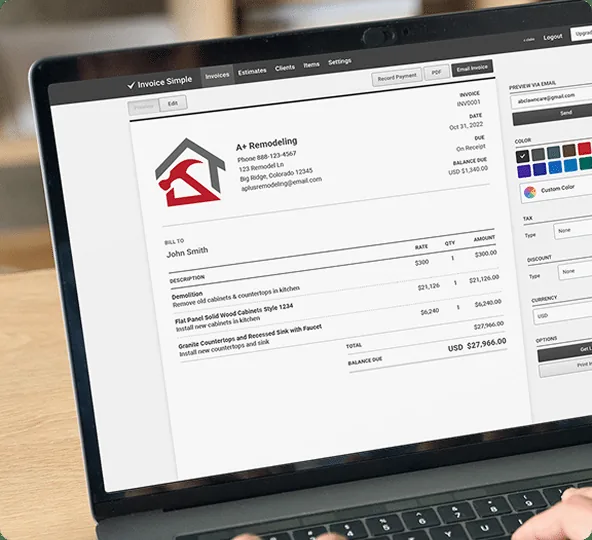
It offers over 60 templates, read‑receipt notifications, and automatic reminders. The free plan covers unlimited invoices, but advanced features like deposits and client signatures need a paid plan.
How to Choose the Right Tool
- Do you need automation? Look for recurring invoices and payment reminders.
- Will you integrate with existing tools? Check the integration list for Stripe, PayPal, or Zapier.
- What’s your budget? Free plans work for basic invoicing; paid plans add time‑tracking and automation.
Frequently Asked Questions
What is the cheapest invoicing software for freelancers?
Wave offers a free plan with unlimited invoices and basic bookkeeping, making it the most budget‑friendly option.
Can I accept international payments?
Zoho Invoice and FreshBooks both support multiple currencies and popular gateways like Stripe, so you can bill clients worldwide.
Do these tools handle tax calculations?
FreshBooks, Zoho Invoice, and QuickBooks Self‑Employed include automatic tax calculations; Wave requires manual entry.
Is there a mobile app for invoicing?
Invoice Simple, FreshBooks, and Zoho Invoice all have native iOS and Android apps that let you invoice on the go.
How important is automation for freelancers?
Automation saves time and reduces late payments. Choose a platform that offers it if you bill regularly.
Do any of these platforms integrate with accounting software?
Bonsai and FreshBooks sync with QuickBooks, while Zoho Invoice integrates with related business tools. Integration helps keep your books accurate without double entry.
Keeping clear records and timely invoices is essential for accurate tax filing.
Conclusion
For most freelancers who want a mix of automation, integrations, and a friendly UI, FreshBooks stands out as the top pick.
