
Want to earn commissions without stocking inventory? You can launch an affiliate site in a weekend if you follow the right steps. Below is a six‑step checklist that takes you from idea to traffic and sales, and shows where DiSousa’s courses fit in.
Step 1: Choose a Focused Affiliate Niche and Audience
The first decision decides how easy it will be to rank and sell. Look for a narrow market where people search with buyer intent and where product choices are limited but valuable. Affiliate marketing thrives in “boring” niches, topics like DIY plumbing, pet accessories for small pets, or eco‑friendly kitchen tools, because competition is lower and readers trust detailed guides.
Start by listing your own interests. If you love gardening, type “garden tools” into Google Trends and note the interest curve. Next, run a keyword check: aim for phrases with 500‑2,000 monthly searches and a commercial intent modifier like “review” or “best”. Use the free Top Affiliate Website Examples to Study for inspiration on how successful sites structure product clusters.
Validate the niche with three quick tests: (1) Does Amazon list at least 20 products in the category? (2) Are there clear price points above $30 (higher commissions)? (3) Can you write at least 10 useful, evergreen articles? If the answer is yes, you’ve got a viable niche.
One pitfall many beginners ignore is traffic volume. Affiliate programs often require a minimum of 500‑1,000 unique visitors per month before they approve you. Keep that threshold in mind when you pick a niche, the lower the competition, the faster you’ll hit it.
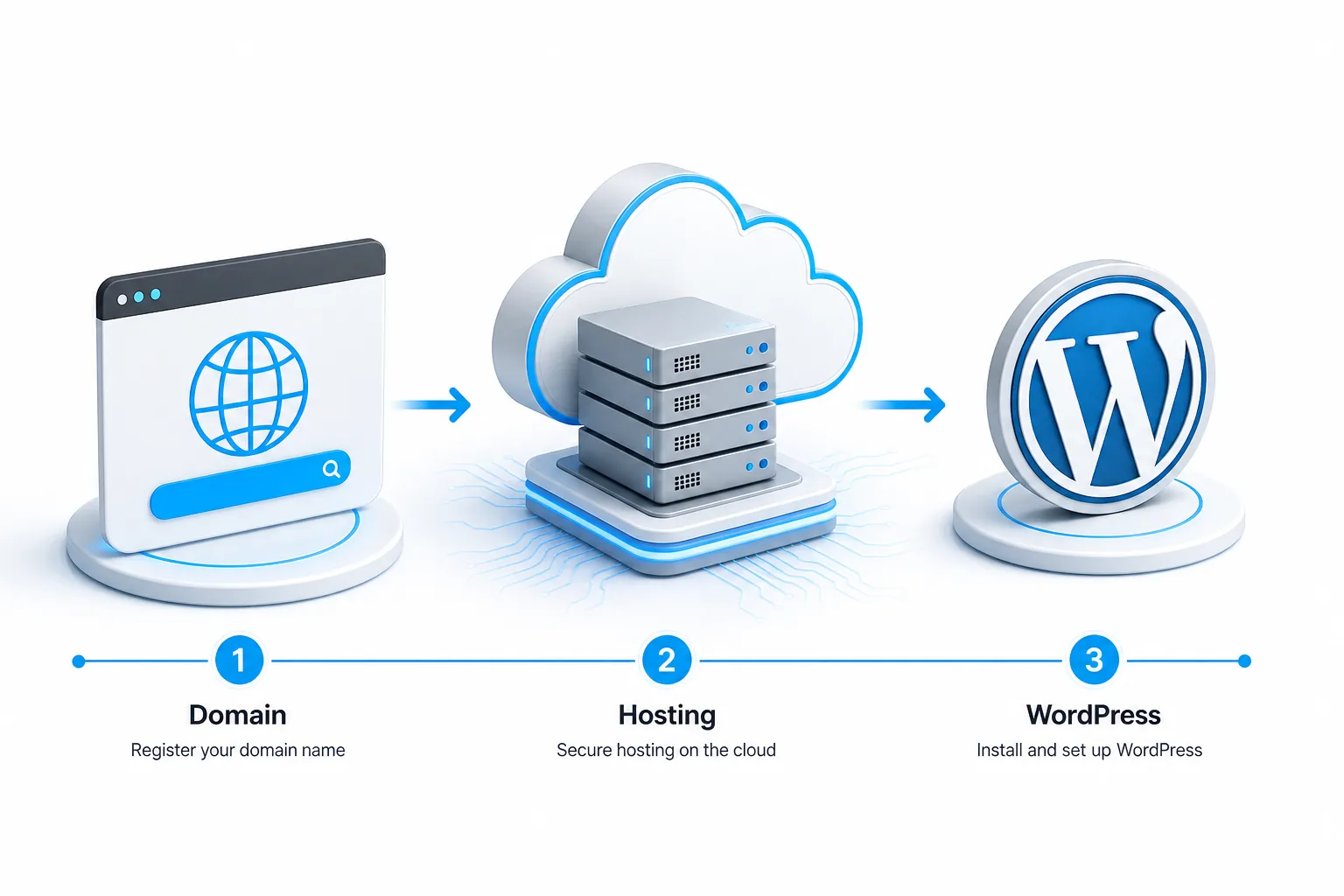
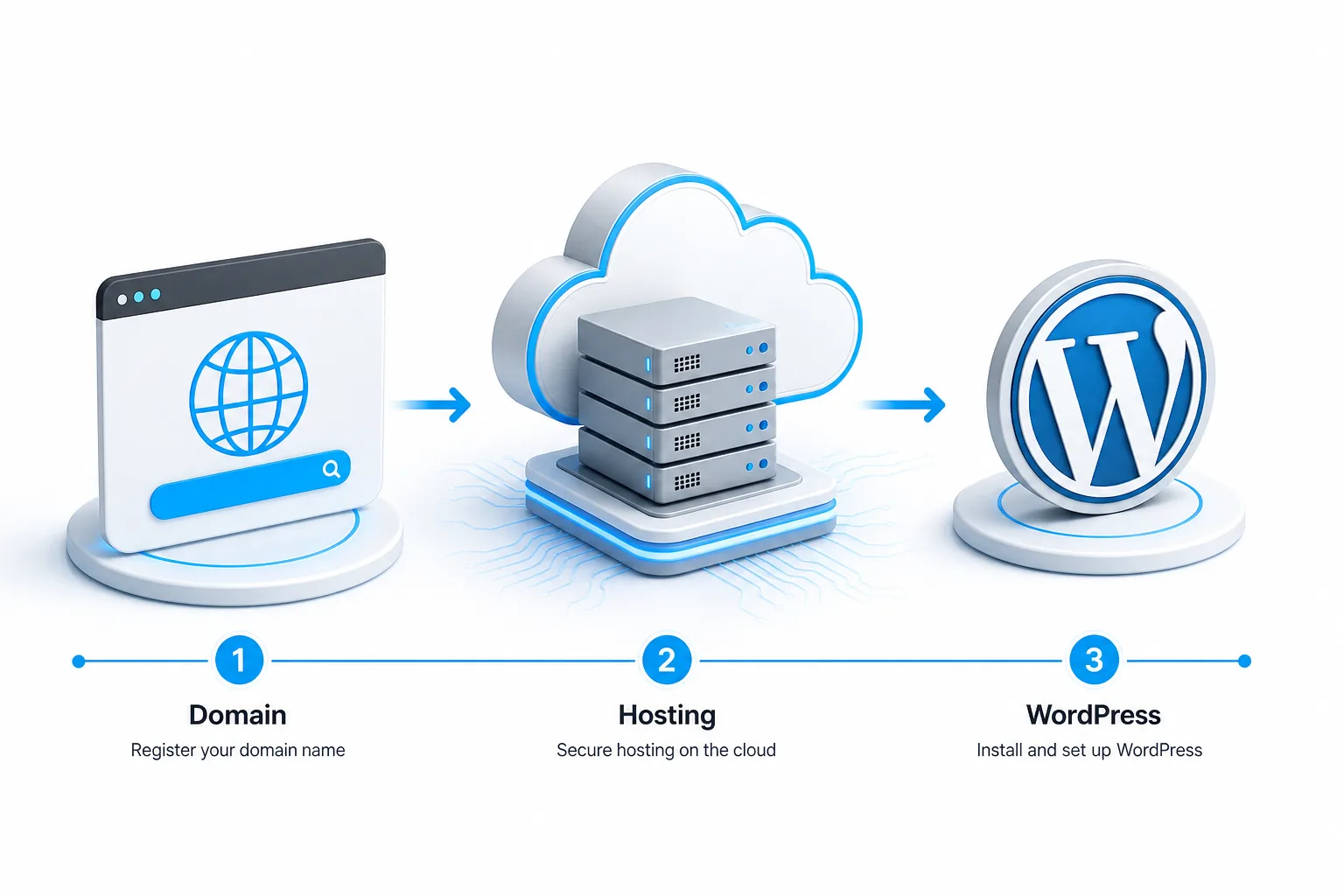
Step 2: Set Up Your Domain, Hosting, and Website Platform
Pick a short, memorable domain that includes your niche keyword if possible, e.g., “budgetkitchengear.com”. Register it with a reputable registrar that offers WHOIS privacy to protect your identity.
For hosting, choose a provider that promises fast load times and easy WordPress installs. Shared plans from hosting providers like Bluehost work for beginners, while a VPS becomes worth it once you hit several thousand visitors daily.
Install WordPress, it’s the most flexible platform for affiliate sites and has thousands of SEO‑friendly themes. When you select a theme, prioritize lightweight designs with fast load times. The Best Website Builders for Affiliate Marketing guide lists themes that already include schema markup for products.
After WordPress is live, secure the site with an SSL certificate (most hosts include it for free). Enable automatic backups so a glitch won’t erase your hard‑earned content.
Step 3: Build the Site Structure and Publish Helpful Content
Good structure helps search engines crawl your pages and users find what they need. Start with a clear hierarchy: Home → Category pages → Individual product review pages.
Create pillar pages for each main category (e.g., “Best Home Office Accessories”). Each pillar links to several detailed reviews. Use descriptive URLs like /best-home-office-chair‑review/, they signal relevance to both Google and readers.
When you write a review, focus on usefulness. Explain why the product solves a problem, list pros and cons, and include real‑world testing results. Add high‑quality images and a comparison table that shows price, features and affiliate commission rate.
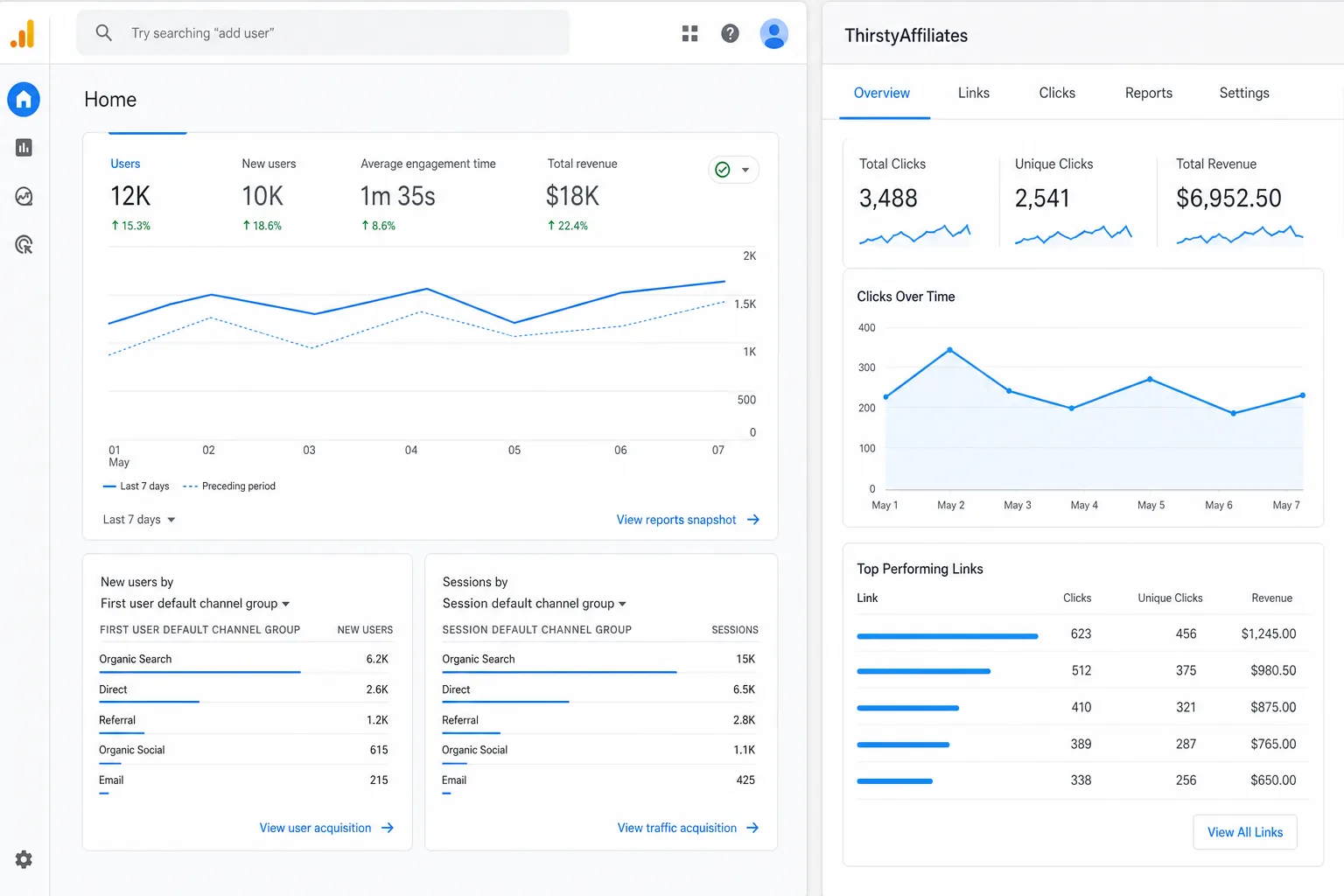
Install the Thirsty Affiliates plugin, it adds a button to the classic editor that inserts a cloaked link with a single click. The plugin also tracks clicks and conversions in a dashboard, so you can see which posts earn the most.
Don’t forget an “About” page that tells visitors who you are and why you recommend these products. Transparency builds trust, which translates into higher click‑through rates.
Step 4: Join Relevant Affiliate Programs and Add Links Correctly
Sign up for programs that match your niche. Amazon Associates works for most consumer goods, while niche networks like Impact.com or other SaaS-focused affiliate networks serve SaaS tools. Read each program’s terms, some forbid link cloaking, others require a disclosure on every page.
Write a clear, conspicuous disclosure in plain language.
Once approved, grab your affiliate IDs and paste them using Thirsty Affiliates. The plugin lets you choose “no‑follow” automatically, which protects your SEO.
Test each link with a private browser window to confirm it redirects to the correct product page and that the click is recorded in your dashboard.
Step 5: Attract Visitors, Measure Results, and Improve the Site
Traffic comes from three main channels: SEO, social media, and email. For SEO, target long‑tail keywords that include buying intent, e.g., “best ergonomic office chair 2026”. Write in‑depth guides that answer every question a buyer might have.
Promote your posts on Pinterest and YouTube. If you use direct affiliate links on Pinterest, add a clear disclosure. Use eye‑catching pins that link straight to your review page.
Set up Google Analytics and the Thirsty Affiliates dashboard to monitor page views, click‑through rates, and conversion values. Look for posts with high traffic but low conversions, those need better calls‑to‑action or more persuasive product comparisons.
Iterate every month: update outdated product specs, refresh images, and add new affiliate offers. Small tweaks often raise earnings by 10‑15 percent.
When you reach the traffic threshold required by a program, apply for higher commission tiers. DiSousa’s Affiliate Marketing Courses walk you through each of these steps and teach you how to negotiate better rates.
FAQ
Do I need a lot of money to start an affiliate website?
No. You can begin with a domain ($10‑$15/year), a low‑cost shared host ($3‑$5/month) and free WordPress themes. The biggest expense is your time spent on content creation.
Can I use Amazon links without a blog?
You can, but most programs, including Amazon, require a landing page where you disclose your affiliation. A simple WordPress site satisfies that rule.
How long before I see my first commission?
It varies, but many new sites earn their first $5‑$20 within 30‑60 days if they publish at least three SEO‑optimized reviews per week.
Is Thirsty Affiliates the only plugin I need?
It covers link cloaking, click tracking and automatic no‑follow. You may still add an SEO plugin for meta tags, but the core affiliate workflow runs on Thirsty Affiliates alone.
What legal disclosure should I add?
Place a short sentence such as “This post contains affiliate links, which means I may earn a commission at no extra cost to you,” near the top of each article. The disclosure should be clear and visible.
Disclaimer: This post may contain affiliate links. If you click and buy, we may receive a commission at no extra cost to you.
Conclusion
Start with a low‑competition niche, set up WordPress and Thirsty Affiliates, then create useful reviews and promote them. For a complete walk‑through, enroll in DiSousa’s Affiliate Marketing Courses, they cover every step in detail. Your next move: register a domain today and publish your first product review.
